Design systems work only if teams follow them. In practice, they rarely do. Designers detach symbols, override styles, and forget rules they never memorized. And when products serve multiple languages, layouts break in ways no one catches until production. I built two Sketch plugins to solve both problems: one that lints designs against a style guide, and one that translates artboards into 90+ languages for instant localization testing.
The problem with design consistency
Design systems can contain hundreds of rules: typography scales, color palettes, spacing values, contrast ratios. No designer can hold all of them in working memory while solving interaction problems. The tools available at the time offered no automated way to verify compliance.
Sketch's symbol system helped, but it had real limitations. Complex components were difficult to build as symbols. And even when symbols existed, designers routinely detached them to make quick modifications. I observed this pattern across every design team I worked with. The intent was always good. The drift was inevitable.
In software engineering, this problem was solved decades ago. Linters analyze code against defined rules and flag violations automatically. No equivalent existed for design files.
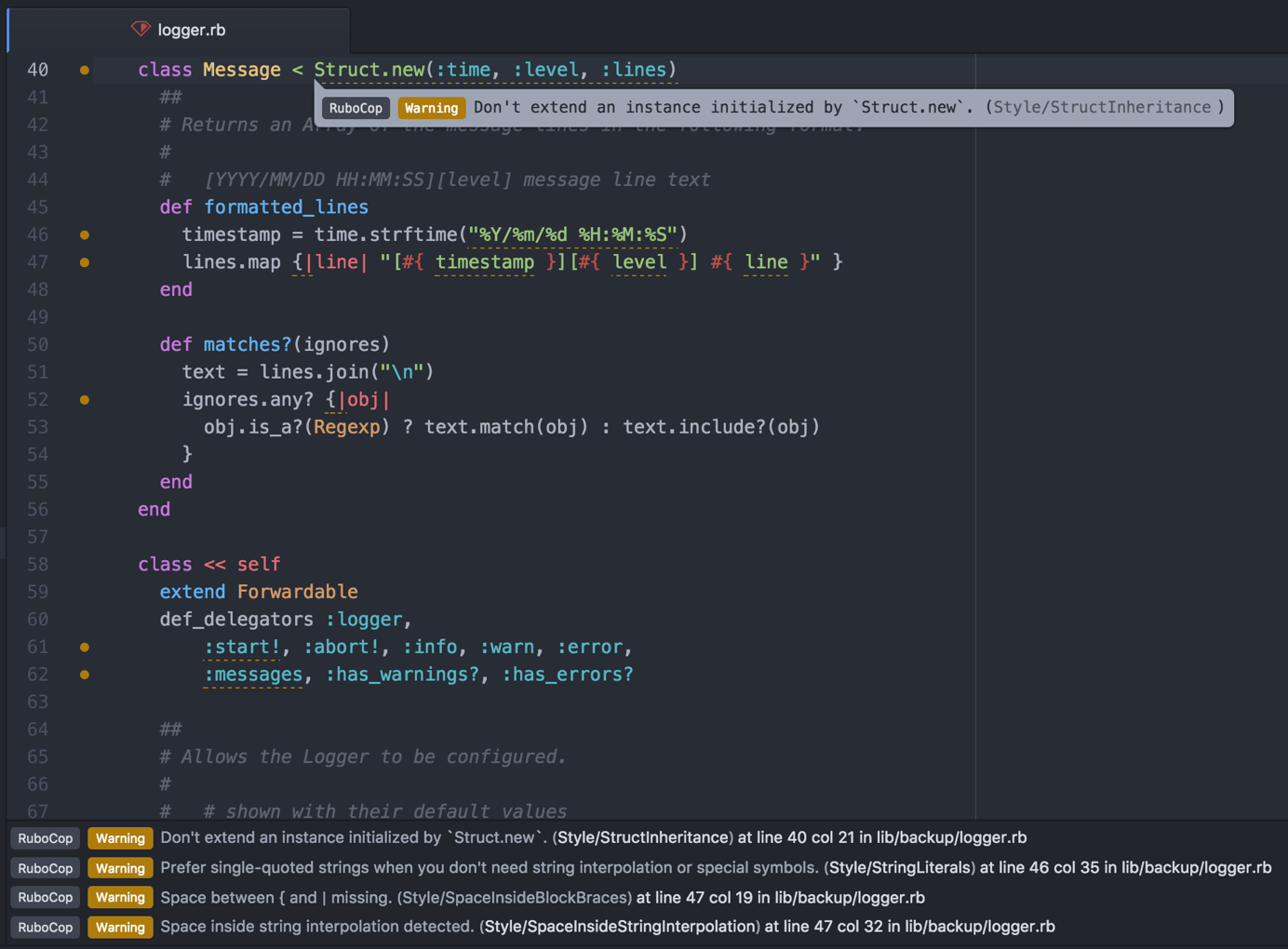
Lint for Sketch
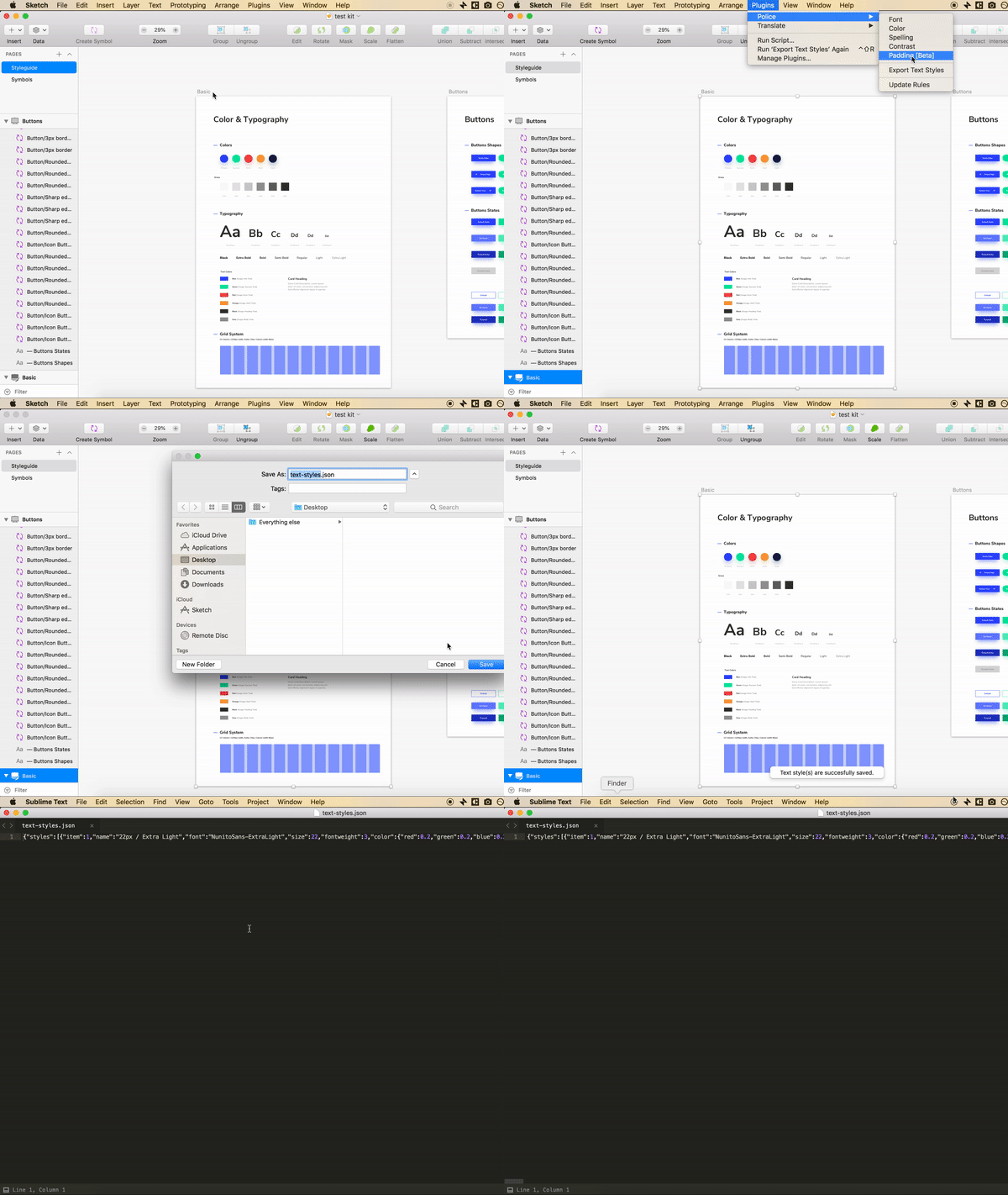
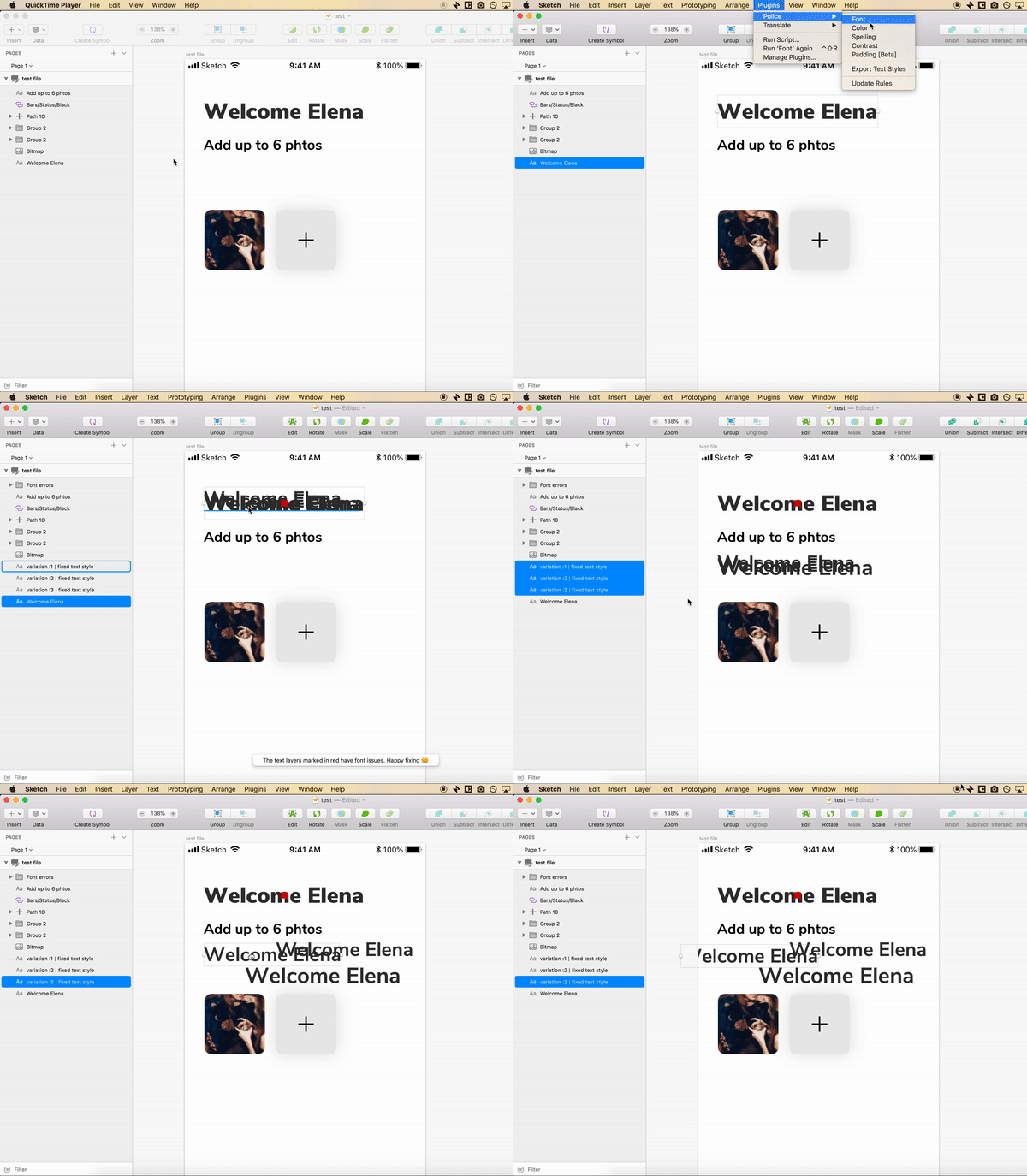
I built a plugin that works exactly like a code linter, but for Sketch files. Point it at your design guideline, and it extracts every typography and color rule into a JSON file. Then run it against any design file to flag violations instantly.
Extracting the rules
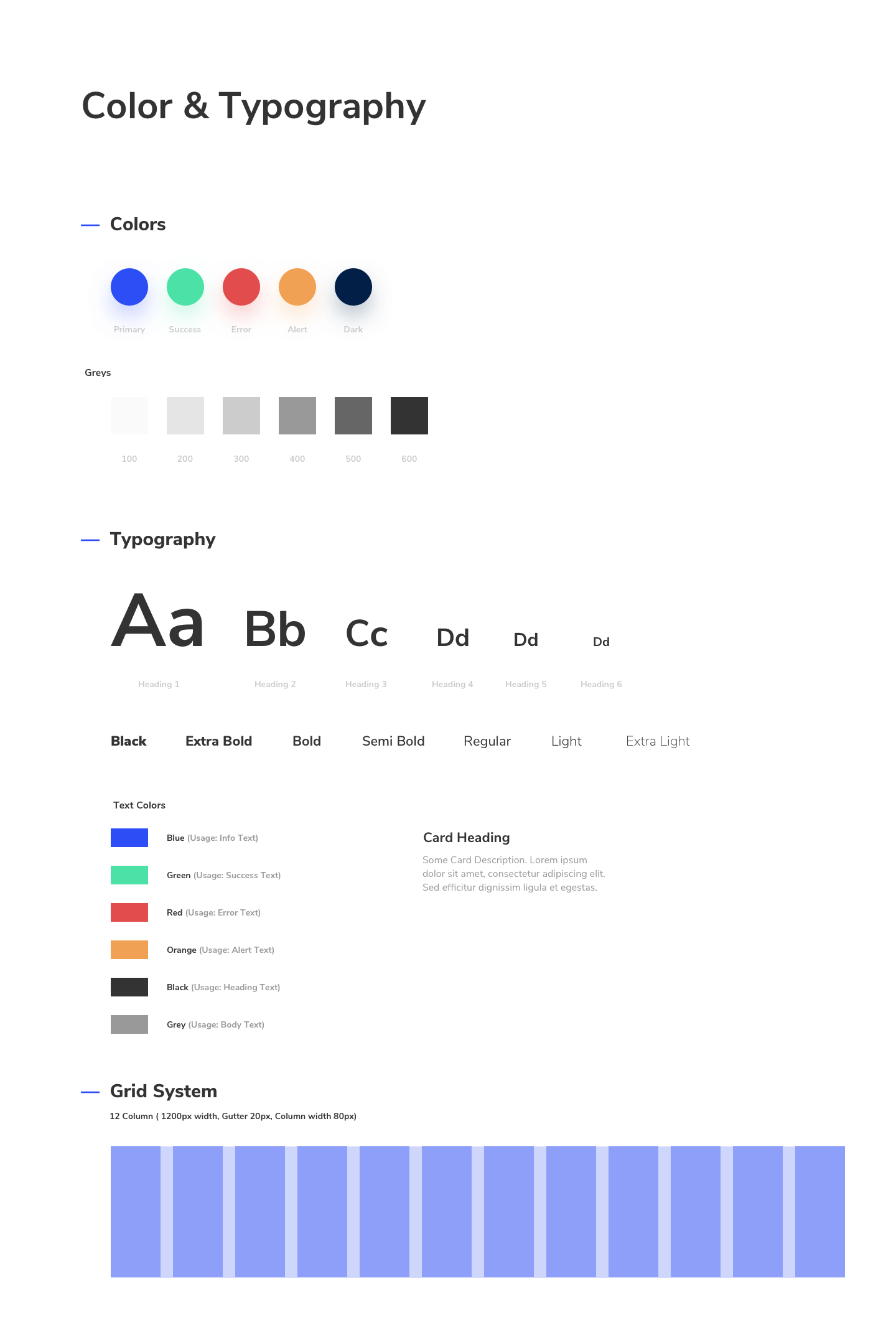
The plugin reads a Sketch file containing your design guideline and pulls out all text styles and color swatches with a single action. This JSON becomes the source of truth for every subsequent check.
What it checks
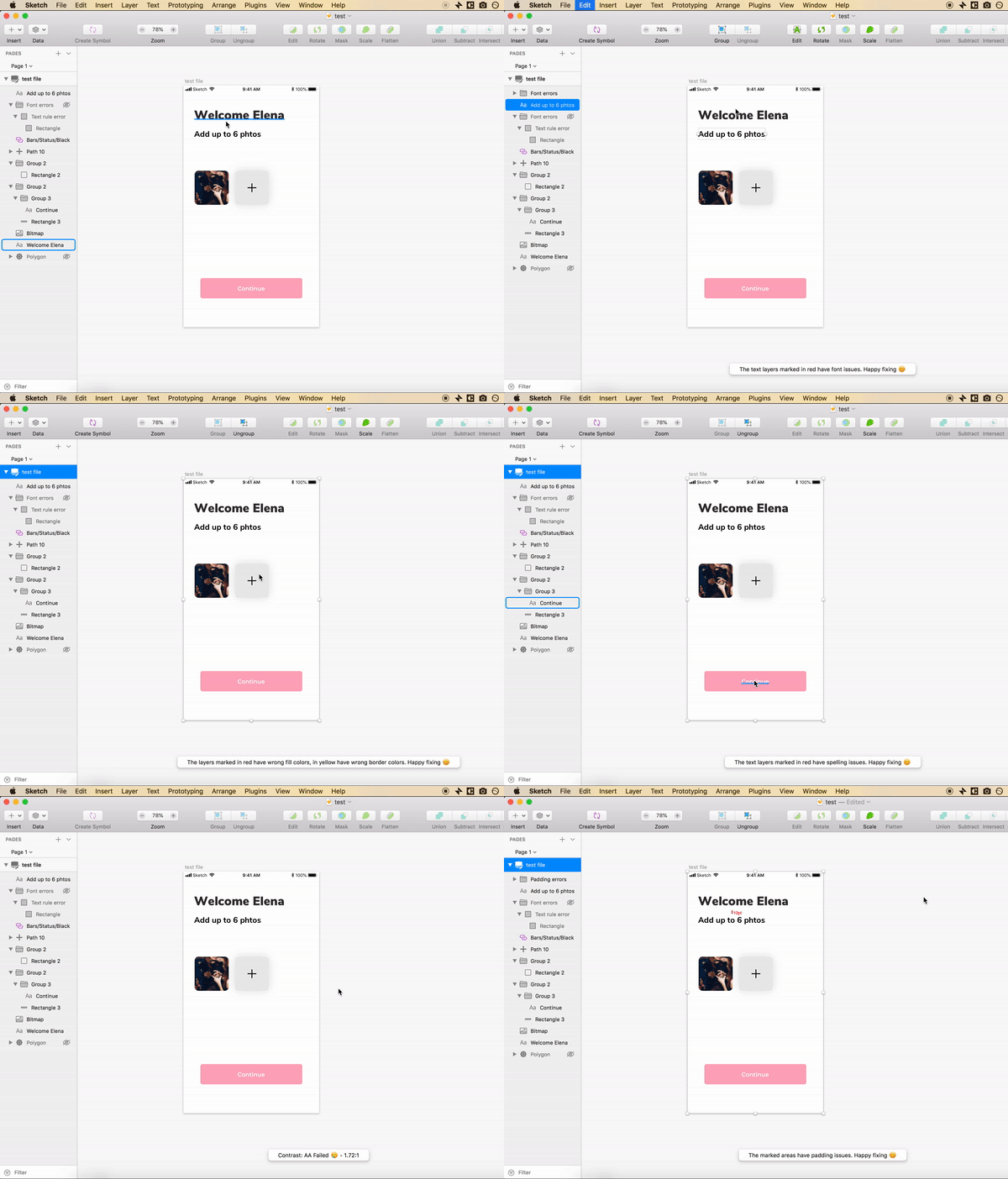
With rules defined, the plugin scans any design file and reports violations across five categories:
Typography: font size, color, typeface, and line height
Color: any layer color against the guideline palette
Spelling: text layer content using the macOS dictionary
Contrast: accessibility scoring per W3C standards
Padding: vertical spacing between layers and shapes
Automated fixes
Flagging errors is useful. Fixing them is better. The plugin uses fuzzy matching to suggest the three closest valid styles for any problematic layer. One click applies the fix.
Sketch Translate
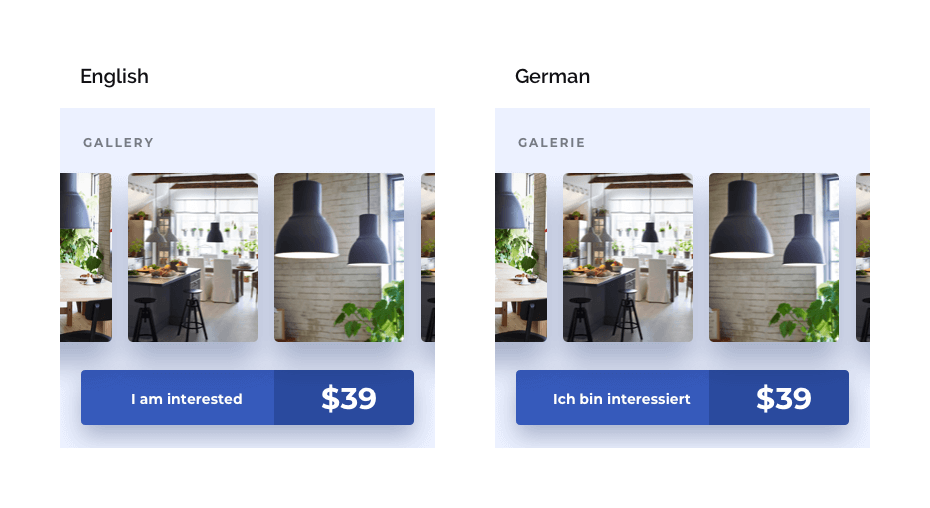
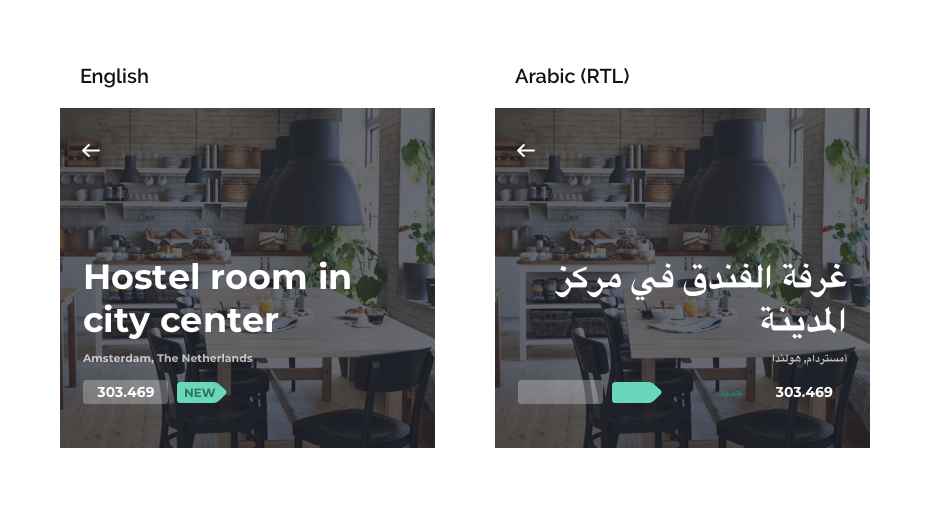
Internationalization is where layouts go to die. Designers build for English, hand off to translators, and discover weeks later that the German label is twice as wide and the Arabic layout needs to be mirrored entirely. By then, the design is locked and the fixes are hacks.
Consider the word "Lie!" in English: four characters. In French, it becomes "Le Mensonge!" with nine characters and a mandatory space before the exclamation mark. These expansions break buttons, overflow containers, and destroy carefully balanced compositions. Designers had no fast way to test for this.
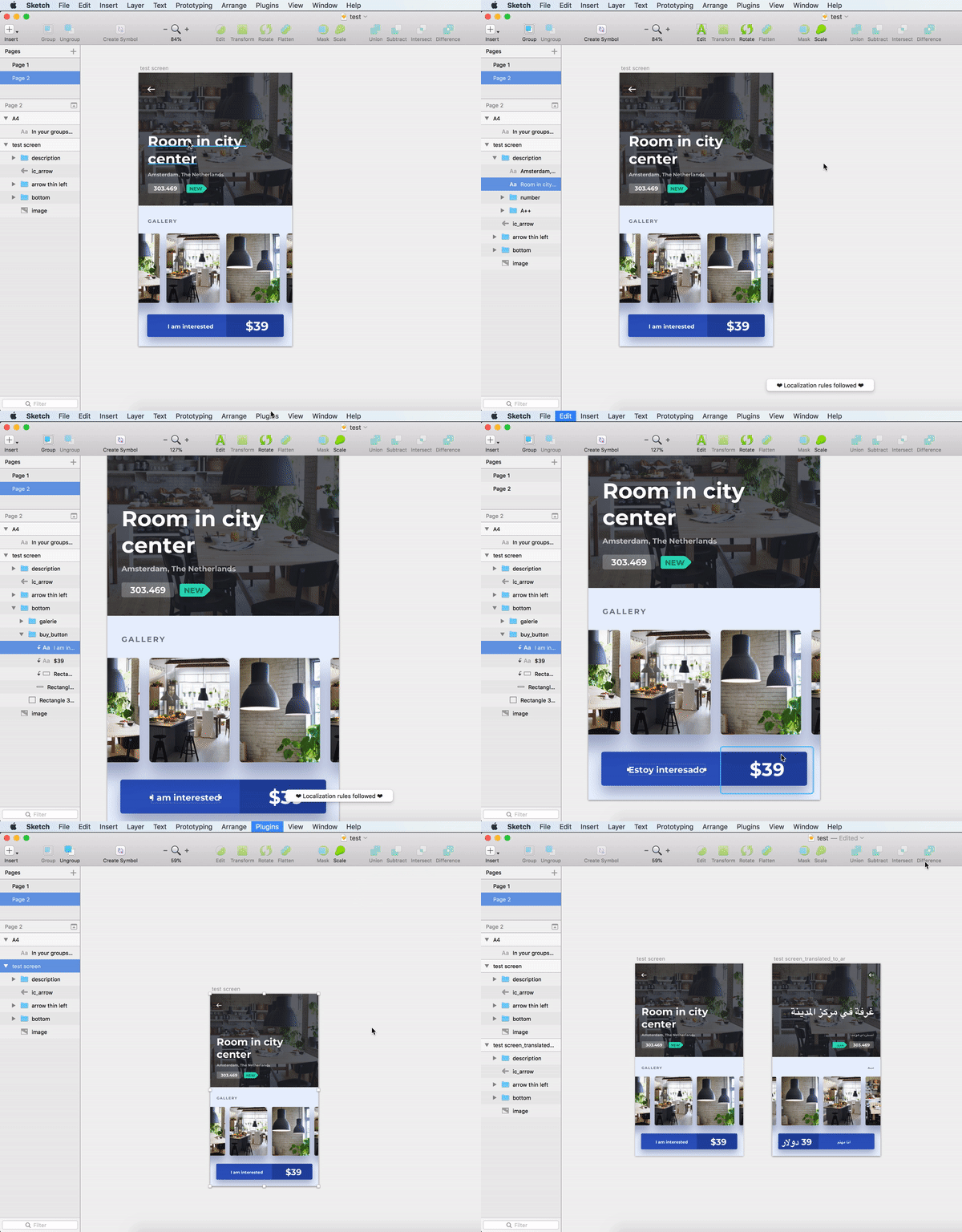
I built a plugin that translates any Sketch artboard, group, or text layer into 90+ languages in seconds, without ever leaving the design tool. It uses the Yandex Translate API to render text and generates a translated copy of the design instantly.
Key capabilities
90+ language support, from Haitian Creole to Urdu
RTL layout transformation for Arabic, Hebrew, and Persian
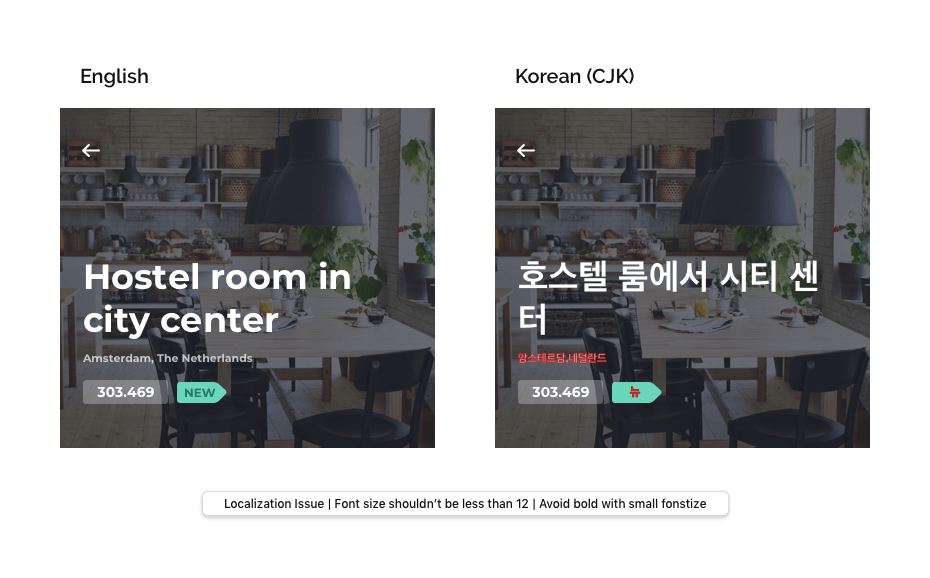
CJK accessibility checks for Chinese, Japanese, and Korean
What happened
Lint for Sketch was featured on Product Hunt and voted #2 Product of the Day. Both plugins were adopted by design teams in India, the US, and Europe. They represented an early attempt at treating design files as testable artifacts, the same way engineers treat code.
The core idea behind both tools was the same: designers should not have to rely on memory or manual review to maintain quality. Rules should be defined once and enforced automatically. That principle has since become standard in tools like Figma, but in 2016, it required building from scratch.